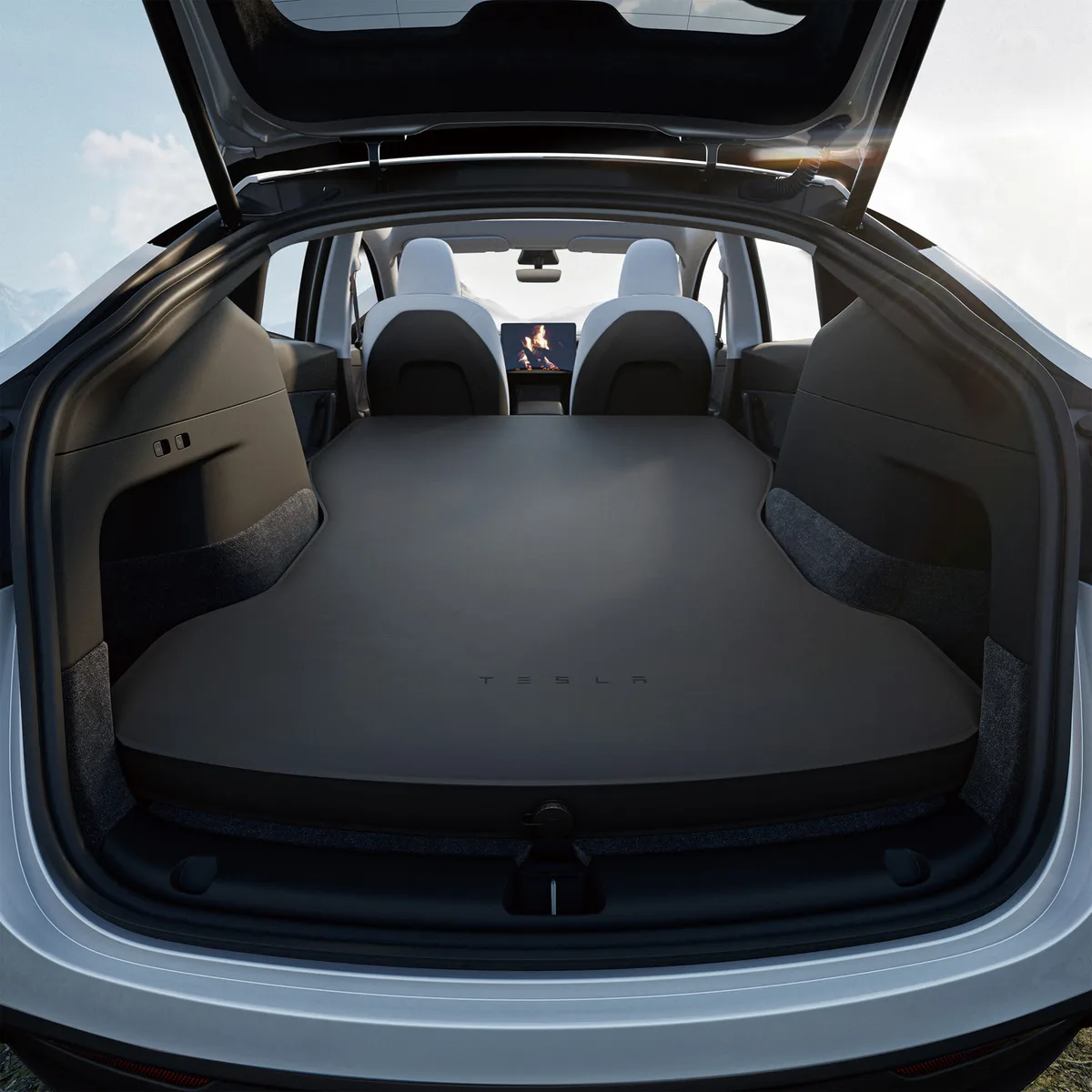
Camp Mode keeps the climate on while you stay in the parked car
Camp Mode keeps a parked Tesla’s climate running while you stay inside. It also keeps the touchscreen, USB ports and low-voltage outlet on. Turn it on from the Climate screen or the Tesla app, in Park only. It stops in Low Power Mode and turns off Sentry Mode and the alarm.
This guide is the hub for the Camp Mode pages on this site. For the risks in detail, read is Tesla Camp Mode safe. To plan a first night, read can you sleep in a Tesla overnight. For the short step list, read how to turn on Tesla Camp Mode.
All Tesla facts on this page come from the current Tesla owner's manuals and Tesla support pages. We read them on 30 September 2026. Tesla changes the software often, so check the manual in your own car if a menu has moved.
What Camp Mode does
Camp Mode is one of three climate settings that keep the climate system on in Park. The other two are Keep Climate On and Pet Mode. Tesla's manuals give each setting a different job.
The Model Y, Model 3, Model X and Model S manuals use the same text for Camp Mode. Camp Mode does these things:
- It keeps the cabin at the temperature you set.
- It powers the USB ports and the low-voltage outlet.
- It keeps the touchscreen on. You can play music, use the browser, play games in Arcade or watch Tesla Theater.
- It lets you control media and climate from a paired phone.
Tesla says Camp Mode is "ideal for remaining inside your vehicle". The manual gives camping and staying with a child as examples. Tesla's summer tips page describes Camp Mode as a way to stay comfortable while you sleep in the car.
While Camp Mode is on, Sentry Mode and the vehicle alarm are off. Walk-Away Door Lock does not operate. You must lock the doors yourself.
Camp Mode, Pet Mode and Keep Climate On
Tesla's current manuals use the name Pet Mode (formerly Dog Mode). To plan a night with a dog, read our Tesla camping with dogs guide.
| Setting | Tesla's intended use | Who is in the car | Stops in Low Power Mode or below 20% |
|---|---|---|---|
| Camp Mode | People who stay inside, such as camping | You are inside | Stops when the car enters Low Power Mode |
| Pet Mode | A pet, for short periods, while you watch the app | Your pet, you stay close | Stops when the charge drops below 20% |
| Keep Climate On | The car is empty, for example groceries on a hot day | Nobody, or you | Stops when the car enters Low Power Mode |
For a night in the car, use Camp Mode. Tesla says Pet Mode "is not intended for people".
How to turn on Camp Mode
The steps are the same in the current manuals for all five models. The Model Y manual has a 2025+ edition and a 2020–2024 edition. Both editions use the same Camp Mode text.
- Make sure the car is not in Low Power Mode.
- Shift into Park.Camp Mode is available only in Park.
- Adjust the temperature and fan if necessary.
- On the climate controls screen, touch Camp Mode.
- Lock the doors yourself.Walk-Away Door Lock does not operate in Camp Mode.
To use the Tesla app, open Climate and swipe up from the gray bar. Camp Mode is in that menu.
| Model | Where to turn it on | Notes from the current manual |
|---|---|---|
| Model Y | Climate screen, then Camp Mode, or the app | Same text in the 2025+ and 2020–2024 manuals |
| Model 3 | Climate screen, then Camp Mode, or the app | Same Camp Mode text as Model Y |
| Model X | Climate screen, then Camp Mode, or the app | Same Camp Mode text as Model Y |
| Model S | Climate screen, then Camp Mode, or the app | Same Camp Mode text as Model Y |
| Cybertruck | Climate screen, then Camp Mode, or the app | The manual also says to avoid these features "on extremely hot days". The AC outlets have their own switch under Controls > Outlets & Mods. |
What turns Camp Mode off
Tesla says the climate system tries to keep your settings until one of these events occurs:
- You shift out of Park.
- You turn Camp Mode off.
- You turn off the climate system in the app. Camp Mode then stops too.
- The car enters Low Power Mode.
- The car finds a problem with the climate system.
The Tesla app sends a notification if the climate turns off for any reason. Your phone must have signal to receive it.
How much battery Camp Mode uses
The climate system runs on the high-voltage battery. Tesla says long use decreases driving range. Tesla does not publish a fixed use per hour or per night.
Our Camp Mode battery calculator uses scenario model v1.2. The model adds a standby load of 0.18–0.32 kW to a climate load. The climate load depends on the gap between the cabin temperature and the outside temperature. These numbers are editorial assumptions. They are not Tesla figures, and nobody measured them in a test car.
| Gap between cabin and outside | Estimated use over 8 hours | Share of a 75 kWh battery |
|---|---|---|
| 0–4 °C | 3.4–7.0 kWh | 5–9% |
| 11–18 °C | 7.4–13.4 kWh | 10–18% |
| Over 28 °C | 12.2–22.6 kWh | 16–30% |
When it is colder than −10 °C outside, the model adds another 0.20–0.45 kW. The full table and the planning method are on how much battery Tesla camping uses.
Worked example (estimate only)
This example uses the default inputs that the calculator page publishes. It is an estimate, not a forecast for your car.
- Usable battery (your input)
- 75 kWh
- Charge when you park
- 60%, or 45 kWh
- Gap between cabin and outside
- 15 °C
- Hours in Camp Mode
- 9
- Estimated load (standby plus climate)
- 0.93–1.67 kW
- Estimated energy for the night
- 8.37–15.03 kWh
- Estimated charge when you wake up
- About 40–49%
- Next drive: 150 km at 190 Wh/km
- 28.5 kWh
- Estimated charge after that drive
- About 2–11%
A normal night can look safe, but the next drive can use most of what is left. Low Power Mode is also a limit. Tesla lets you set the automatic Low Power Mode threshold from 10% to 20%, and the default is 20%. Camp Mode stops when the car enters Low Power Mode. With the default setting, Camp Mode stops at about 20%, not at 0%.
To get a real number, run Camp Mode for one hour while you are awake. Then read the change in charge and multiply it by the hours you plan to sleep.
Sentry Mode and other loads
Sentry Mode is off while Camp Mode is on, so it adds no load that night. Tesla says power use can increase when Sentry Mode is on. Tesla also says that the car uses energy for standby functions, screen activity and the app even in Low Power Mode. In cold weather, the available energy can drop more quickly.
Is Camp Mode safe to sleep in?
Tesla designed Camp Mode for people who stay inside the car. Tesla also gives clear limits:
- Do not use Camp Mode when the charge is low.
- Do not use Camp Mode if the climate system needs service or does not work correctly.
- Never rely on the car to protect something irreplaceable.
- Never leave a child alone in the car.
Sentry Mode and the alarm are off, so lock the doors. Keep one door and the path to it clear of bedding and bags. Park only where overnight stays are allowed. Our Tesla camping legality page explains how to check a site.
The CDC says carbon monoxide is odorless and colorless, and it says never to use a portable gas camp stove indoors. An open window does not make fuel-burning equipment safe in a car.
The full risk list and checklist are on is Tesla Camp Mode safe.
Comfort setup: mattress, window covers and fresh air
Camp Mode controls the air. The sleep surface, privacy and moisture are your job.
Mattress
Camp Mode does not change the sleep surface. Choose a mattress that fits your model. Start with the best Tesla camping mattresses, or go to the page for your car:
The Tesla mattress finder asks about your car and your sleep style. If you are not sure you need a mattress, read do you need a mattress for Tesla camping.
The operator of this site owns a Snuuzu Model Y. He published a one-year review on the AWD Camper YouTube channel on 11 May 2026. The video describes use in summer, autumn, winter and spring, and the Snuuzu Model Y review summarises it. He also owns a Havnby FlatCore and a FlatCore Solo. In a video of 15 July 2026, he concludes that two adults need the full-width FlatCore. He says the Solo suits one adult with a lot of gear. These are owner reports, not test results.
Window covers
Window covers give privacy and block light. The site has research pages on the Havnby DreamShade for Model Y and Model 3 and the Havnby shades for the 2025 Model Y. Make sure no cover blocks a door handle or the exit.
Fresh air and condensation
Breath and damp clothes add moisture to the cabin. Moisture condenses on cold glass. Tesla says the climate system works best with all windows closed. Tesla also says to keep the grille in front of the windshield free of ice, snow and leaves, because outside air enters there. Keep air conditioning available so that the system can remove moisture.
You can open a window in Camp Mode. But Tesla says the climate system works most efficiently with all windows closed. An open window can use more energy and let in rain and insects. For moisture, use air conditioning and airflow first.
For the full method, read how to prevent condensation in a Tesla. For cold nights, read can you camp in a Tesla in winter. To pack for the night, use the Tesla camping packing list.
Charging while you camp
- Plugged in
- Tesla says that when the car is plugged in but not actively charging, it normally takes energy from the charging equipment and not from the battery. Tesla gives an example: you sit in the parked car and use the touchscreen. Tesla's winter tips say that when the car is plugged in, features such as preconditioning use external power.
- Campsite hookup
- A campsite with an electric hookup is the easiest way to run Camp Mode all night. A charger is not a campsite, so check the site rules, idle fees and time limits first. The details are on can you sleep in a Tesla while charging.
- Cybertruck outlets
- On Cybertruck, the cargo bed and cabin AC outlets have their own switch under Controls > Outlets & Mods. The manual says a device that stays plugged in depletes the battery. The outlets also use a small amount of power when they are on, even with nothing plugged in.
Common problems
| Problem | Likely cause from the Tesla manual | What to do |
|---|---|---|
| Camp Mode is not on the Climate screen | The car is not in Park, or it is in Low Power Mode | Shift into Park. If the car is in Low Power Mode, charge first. |
| Camp Mode stopped in the night | Low Power Mode, a climate fault, or someone turned climate off in the app | Read the app notification. Charge before the next night. |
| A software update does not install | Updates cannot install while Camp Mode is on | Turn Camp Mode off and install the update in the morning. |
| Sentry did not record anything | Sentry Mode is off while Camp Mode is on | Expected behavior. Lock the doors and park in a safe place. |
| The cabin does not reach the set temperature | Windows open, or snow and leaves on the intake grille | Close the windows and clear the grille. |
| The battery dropped faster than expected | A larger temperature gap, or cold weather | Use the calculator again with the real gap. Charge before you sleep. |
| The windows fog | Moisture from breath and damp gear | Follow the condensation guide. |
If the climate system does not work as expected, do not use Camp Mode. Tesla says to contact Tesla service when the cabin repeatedly goes above the selected temperature with Cabin Overheat Protection on.
Sources
We read each Tesla and CDC source below on 30 September 2026.
- Tesla, Model Y Owner's Manual (2025+), "Operating Climate Controls"
- Tesla, Model Y Owner's Manual (2020–2024), "Operating Climate Controls"
- Tesla, Model 3 Owner's Manual, "Operating Climate Controls"
- Tesla, Model X Owner's Manual, "Operating Climate Controls"
- Tesla, Model S Owner's Manual, "Operating Climate Controls"
- Tesla, Cybertruck Owner's Manual, "Operating Climate Controls"
- Tesla, Model Y Owner's Manual, "Getting Maximum Range" (Low Power Mode)
- Tesla, Model Y Owner's Manual, "Sentry Mode"
- Tesla, Model Y Owner's Manual, "Charging Instructions"
- Tesla, Cybertruck Owner's Manual, "Cargo Bed Outlets"
- Tesla Support, "Summer Driving Tips"
- Tesla Support, "Winter Driving Tips"
- CDC, "Carbon Monoxide Poisoning: Basics"
- Tesla Mattress Guide, Camp Mode battery calculator, scenario model v1.2 assumptions
- AWD Camper YouTube channel, operator videos of 11 May 2026 and 15 July 2026, as summarised in the Snuuzu Model Y review, the Havnby FlatCore review and the FlatCore Solo review
Camp Mode questions
Does Sentry Mode stay on in Camp Mode?
No. Tesla’s manuals say Sentry Mode and the vehicle alarm are off while Camp Mode is on. Walk-Away Door Lock also does not operate. Lock the doors yourself before you sleep.
Can the car install a software update while Camp Mode is on?
No. Tesla says software updates cannot install while Keep Climate On, Pet Mode or Camp Mode is on. Install a waiting update before you set up camp, or after you wake up.
Can I leave the car with Camp Mode on?
Tesla describes Camp Mode for people who stay inside. For an empty car, Tesla describes Keep Climate On. Cabin Overheat Protection is a different feature. It cools the cabin when the car is hot and parked, for up to 12 hours after you leave, and it stops at the Low Power Mode threshold. Tesla says it is for comfort and that the cabin can still become dangerously hot.
Can I turn on Camp Mode from the Tesla app?
Yes. Open Climate in the app and swipe up from the gray bar. Camp Mode and Pet Mode are in that menu. The car must be in Park. If you turn the climate off in the app, Camp Mode stops too.